Watch a DJ at work and most of the job is invisible. One headphone cup is pressed to an ear, a hand rests on a record or a jog wheel, and a finger nudges a small slider a fraction of a millimeter. Nothing changes in the room. Then, a minute later, a new track slides in under the old one so cleanly that the dancers never notice the join.
That invisible minute is beatmatching. It is the core technical skill of DJing electronic dance music, and it is why a club can keep one unbroken beat running all night even when DJs swap in the middle.
What beatmatching actually means
Every dance track has a tempo, measured in beats per minute, or BPM. Two house records might sit at 122 and 126 BPM. Play them together without adjusting anything and the kicks drift apart within seconds into a clattering mess.
Beatmatching is the process of speeding up or slowing down the incoming track until its tempo matches the one already playing, then lining up the beats so they land at exactly the same moment. Done properly, the kick drums and snares of both records hit together, and usually the bars line up as well, so musical phrases start and end at the same point.
It is one part of a bigger craft sometimes called beatmixing, which adds equalization, attention to phrasing and track selection to build a mix that flows and has some shape to it.
The steps, by hand
The classic method on two turntables goes roughly like this:
- While one record plays to the room, start the second record in your headphones only. Use the gain or trim control on the mixer to bring both records to similar levels.
- Find the first beat of the new record, hold it, and release it on the beat of the record that is playing. This is called slip cueing.
- Listen. If the new record’s beats arrive before the ones in the room, the new record is too fast. Bring its pitch down and slow it gently by hand.
- If its beats arrive late, it is too slow. Bring the pitch up and nudge it forward.
- Repeat until the two stay locked together. They rarely stay perfect for long, so small manual corrections keep going throughout the mix.
- Gradually fade the new track in while fading the old one out, checking the beats stay together as you go.
The fade does not have to be one way. Some DJs move back and forth between the two tracks several times before letting the old one go.
The bass trick
Two kick drums landing on the same beat can still sound muddy if both carry full bass. A common technique is to cut the low frequencies on one track with the mixer’s EQ while boosting or keeping them on the other. Swapping which track holds the bass at the right moment makes the transition sound like one record turning into another.
Tempo also has limits. Trying to beatmatch tracks with very different BPMs pushes one of them to sound too fast or too slow, and the mix falls apart musically even if the beats technically line up.
Pitch and tempo are tied together
On a turntable, speed changes everything at once. Spin a record 5 percent faster and both its tempo and its pitch rise by 5 percent. That matters because a musical semitone is a change of roughly 6 percent in frequency, so a large speed adjustment shifts the track nearly a full step out of its original key. Two records that sounded fine together at their natural speeds can clash once one of them has been pushed.
Modern DJ software and many digital players can separate the two, using time stretching to change tempo while holding pitch steady. The feature usually goes by names like master tempo or key adjust, and it makes harmonic mixing, choosing tracks whose keys fit together, much easier.
Where it started
Francis Grasso, a New York DJ, is usually credited as one of the first people to beatmatch, in the late 1960s. He got his break at a club called Salvation II when the regular DJ failed to turn up on time and the owners gave him a shot. He was taught the technique by Bob Lewis and developed it at clubs including Sanctuary, a former German Baptist church on 43rd Street.
Early on, Grasso used Rek-O-Kut direct drive turntables and a basic crossfader, switching records fast by starting the next one at exactly the right point. Later, turntables with pitch controls let him hold two records in sync for extended stretches while fading between them. He taught other DJs, including Michael Cappello and Steve D’Acquisto, and the style spread across the city.
Equipment held DJs back for years. In the early 1970s few turntables had variable speed, so DJs could only blend tracks that already shared a tempo. That is part of why record labels started putting instrumental versions of songs on the B side: a DJ with two copies could mix the vocal and the instrumental, which naturally matched.
The turntable that settled it
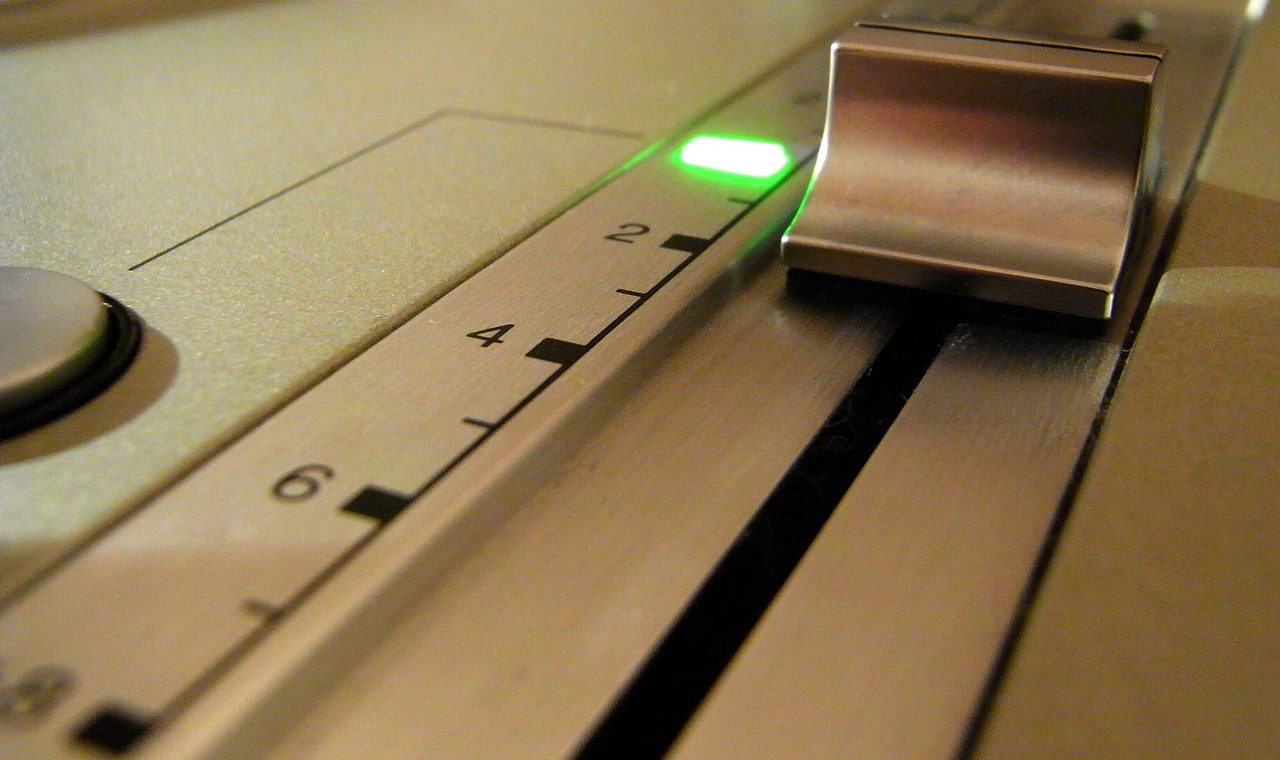
Technics introduced the SL-1200 direct drive turntable in 1972. The model that changed DJing was the SL-1200MK2, released in 1979. It replaced the earlier rotary pitch knob with a slider, typically adjustable by plus or minus 8 percent, and used a quartz locked motor that held its speed with great consistency. Its electronic braking responded as quickly when slowing down as it did when speeding up, which made it well suited to the constant small corrections DJs call pitch riding.
That plus or minus 8 percent is enough to take a 125 BPM record anywhere from about 115 to 135. The deck was heavy, resisted vibration and feedback from loud club systems, and became the standard in clubs and among hip hop DJs. Panasonic discontinued the line in 2010, then brought it back in 2016 after years of demand.
The sync button
Compact discs brought CDJs, players with pitch control and features that made beatmatching possible on CD. Then came software and digital vinyl systems that let DJs control computer files with turntables, and programs that detect a track’s BPM automatically.
Today most DJ hardware and software includes a sync feature that adjusts tempo between tracks automatically, so a DJ no longer has to beatmatch by ear at all. Learning the manual method still pays off. It trains the ear to hear when two records are drifting, which is useful when things go wrong, and it leaves more of the mix in the DJ’s own hands. The tools changed. The goal is still the same as it was for Grasso: two records, one beat, and a dance floor that never has to stop.
Photo: Kenta Morigami via Wikimedia Commons, CC BY-SA 2.0